Frog Crossing
Frog Crossing is no longer sold on its own. It is included in the Arcade Pack, one download with every design in the set.
Everybody remembers the traffic. Nobody ever warns you about the river.
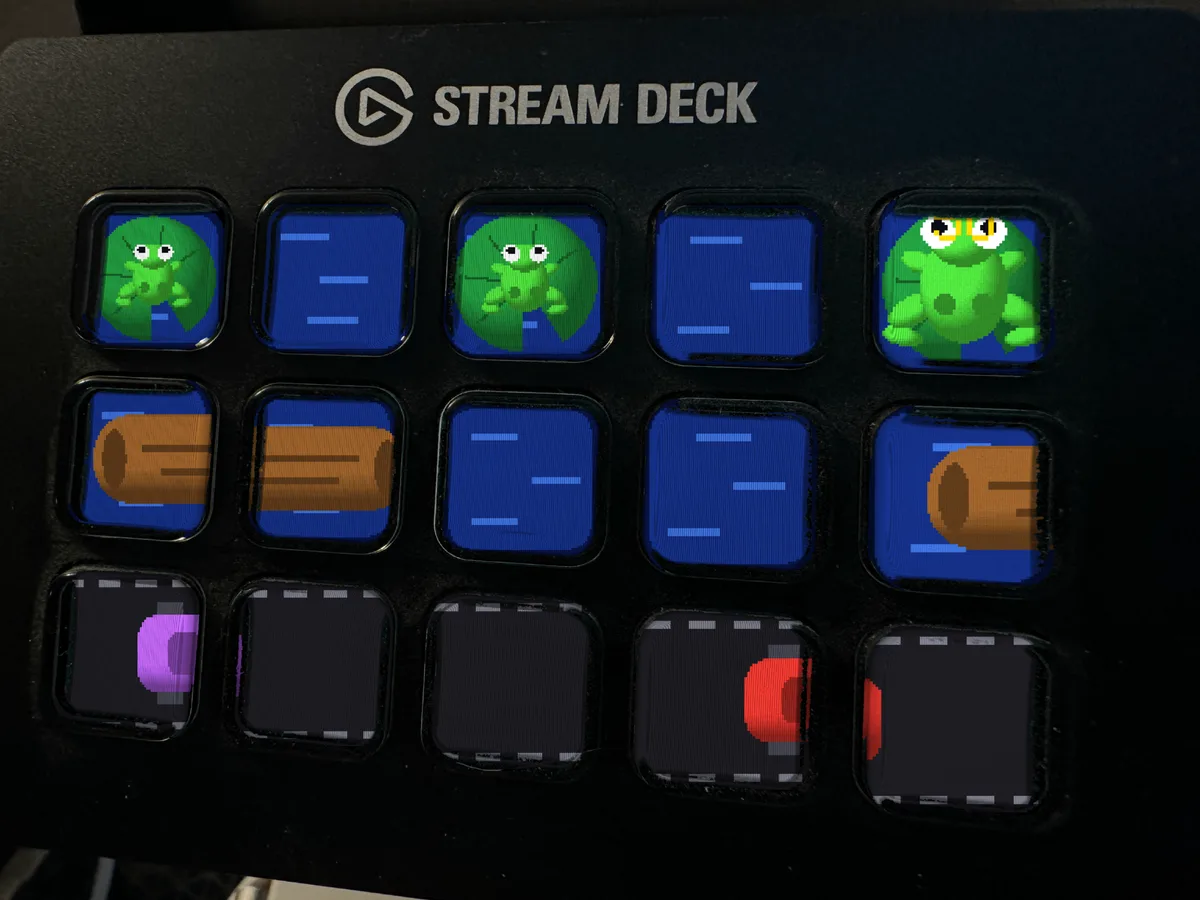
Frog Crossing puts a whole board on your Stream Deck, one key per lane cell. The bottom rows are road, with cars and trucks running at their own speeds. The rows above are river, where the only footing is a drifting log. The top row is the far bank, lily pads with open water between them, and getting there means timing four lanes of traffic and then trusting a piece of wood.
This is where it separates from every other animated Stream Deck screensaver you can buy, all of which are videos somebody rendered once and exported. This one is a simulation. The frog looks at each option, scores it and takes the best one it can see, and it hops one cell in a fifth of a second because that is how long a hop should take. It rides a log off the key centers, which is the one place anything in this pack ever sits between two keys, and it waits there until the drift lines it up with a pad. If the ride is going nowhere it will drop back down into the traffic and set up again, which is exactly what a person does. And the longer it dithers, the worse the odds it will accept, so a frog that hesitates too long ends up taking a gap it should not have taken. About one life in three it stops looking altogether. Those are the ones that get squashed. Nothing here is keyframed, nothing is scripted, and the loop you get is a recording of a run that genuinely happened, drownings included.
What lands in your downloads folder:
Three animated GIF files, one per deck. Stream Deck MK.2 and the original 15 key Stream Deck at 480x272, Stream Deck XL at 1024x600, and Stream Deck Plus at 800x480. Bigger decks get a deeper board, which means more lanes to survive and more pads to fill. Use the file for your deck and ignore the rest.
A loop of just over 90 seconds, 2260 frames at 25 frames per second, ending on the frame it started with so there is no jump when it comes round again. Most animated screensavers on sale are a few seconds repeating and you spot the seam almost at once. You will not find the seam here.
An illustrated install guide as an HTML page, plus the same guide in plain text.
What that gets you day to day: a desk that looks like nobody else's. Every other Elgato Stream Deck in the world goes black or shows a logo when it is idle. Yours has a frog on it with genuinely poor judgment. On camera it is the thing people ask about, and the real answer is better than the one they expect, because it is not a clip, it is playing. Off camera it is the reason you look up from your keyboard and spend a minute quietly willing an animal to make better decisions.
Setup takes about a minute. Gear icon, Devices tab, "Set Screensaver", drop the file in, click Set Animation. The guide covers every step with pictures, including the mistake nearly everyone makes, which is clicking "Set Image" and freezing one frame. No software to install, no account, no subscription. Requires the free Elgato Stream Deck app, version 6.6 or newer. Stream Deck Mini and Neo are not covered.
One person wrote every pixel of this in code, and that same person reads the messages. If something looks wrong, send one and you will get a real answer from someone who knows why.
Add it to your cart, download it, and have it hopping across your deck in the next five minutes. If you want more than one design, look at the bundle before you check out, because it costs less than buying two.